| modules | ||
| public | ||
| src | ||
| .gitignore | ||
| biome.json | ||
| default.nix | ||
| devenv.lock | ||
| devenv.nix | ||
| flake.lock | ||
| flake.nix | ||
| index.html | ||
| LICENSE | ||
| openapi.json | ||
| package-lock.json | ||
| package.json | ||
| preview.png | ||
| README.md | ||
| tsconfig.json | ||
| vite.config.ts | ||


RaspiBlesk Web - a responsive Web UI for RaspiBlesk
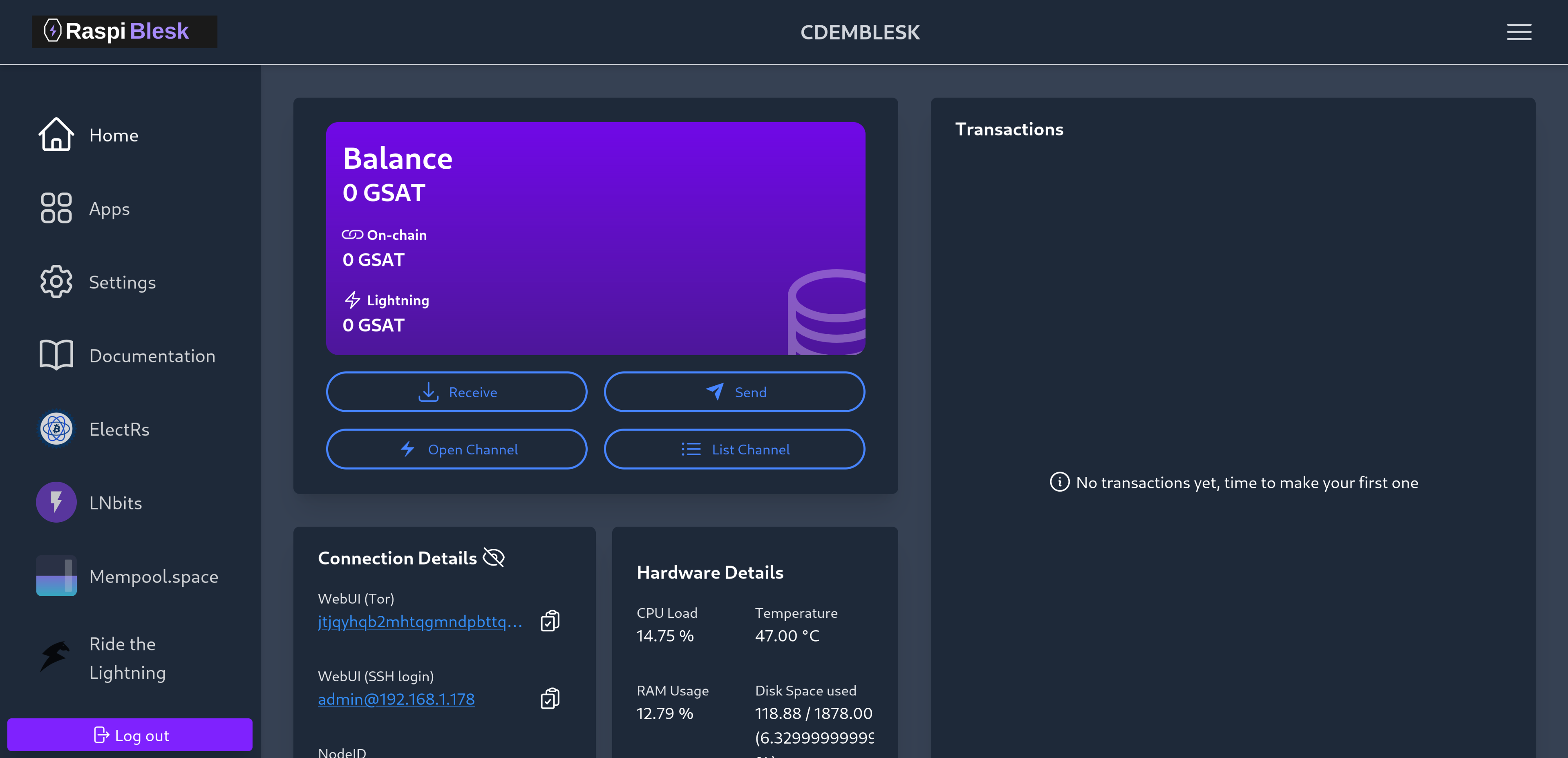
In collaboration with Bitcoin Design.
Source code: forge.618.ch/raspiblesk/raspiblesk-web
Built with React & Tailwind CSS.
Translations
If you want to bring the RaspiBlesk WebUI to other languages, please help us translate it via Weblate :)
Big thanks to our translators, which you can find in this README.
Development
Dependencies
- Node.js
- asdf is supported but not required.
- Nix with Flakes enabled (optional, for devenv.sh or NixOS builds)
Update npm dependencies
npm update
Development with devenv.sh
This project supports devenv.sh, a developer environment tool built on Nix.
Setup
- Install devenv.sh by following the instructions at https://devenv.sh/getting-started/
- Run
devenv shellto enter the development environment - Devenv will install the npm dependencies automatically when entering the shell. To change this behaviour, change
javascript.npm.install.enable = true;tofalseand runnpm installafter entering the shell.
Benefits of using devenv.sh
- Consistent development environment across all contributors
- Automatically installs the correct version of Node.js and other dependencies
- Includes development tools like TypeScript, ESLint, and Nix utilities
- Works on any platform that supports Nix (Linux, macOS, WSL)
Dev workflow
Simple dev setup
npm install
cd backend-mock
npm install
cd ..
npm run dev:local
The npm run dev:local command starts the frontend and the backend mock server.
The backend mock server restarts automatically when you change a file in the backend-mock folder.
Frontend
npm install
npm run start
Backend
For the backend, there currently exist three options:
- Use an existing RaspiBlesk
- Easy to setup, but needs a RaspiBlesk
- Using the provided Mock backend
- Easy to setup, but limited data
- Using blitz_api with Polar
- Some changes needed for local development
- Possibly more data (depending on your ln setup :) )
Mock backend
Open another terminal
cd backend-mock
npm install
npm run start
Then go to http://localhost:3000 and use the password password.
Testing
Unit tests
npm test
E2E tests
Run tests headless:
npx playwright test
Run test with UI:
npx playwright test --ui
Blesk API
This guide uses Polar for easier development, but you can also use a real lightning node.
- Download Polar and run it.
- Create at least one bitcoin and one lightning node.
- Clone the blitz_api and install the dependencies.
- In addition, you will need redis installed for
blitz_apito work.
- In addition, you will need redis installed for
- Create a
.envfile (see .env_sample in blitz_api) and copy the bitcoin and ln info into it.- Important: When definining
shell_script_pathyou need to define a directory where a folder calledconfig.scriptsand a file calledblesk.debug.shreside in. Otherwiseblitz_apimay not work (used on the RaspiBlesk for logging)
- Important: When definining
- Make the following change in
blitz_api:- In main/app/main.py, change the
prefix_formatfrom/v{major}to/api/v{major}.
- In main/app/main.py, change the
- Change the
BACKEND_SERVERvalue in vite.config.ts to your localblitz_apiinstallation.
Now you can start the blitz_api and run npm run start in raspiblesk-web.
Please do not commit the above changes.
Use a external RaspiBlesk as Backend
- (Optional): Make sure asdf is installed
- (Optional): Run
asdf install nodejs latest:20 - Install the dependencies with
npm install - Change the
BACKEND_SERVERvalue in vite.config.ts to your local RaspiBlesk - for example if your RaspiBlesk is running on local IP192.168.1.123then change the value tohttp://192.168.1.123:80 - with
npm run startit should now connect to your external RaspiBlesk
Credits & Licenses
Icons
- RaspiBlitz Icon from RaspiBlitz
- Other icons from Hero Icons & BitcoinDesign Icons
- CSS Loading Spinner from loading.io
- ButtonSpinner from SpinKit
App logos
- BTC RPC Logo from Bitcoin Explorer
- BTCPay Logo from btcpayserver
- RTL Logo from RTL
- Specter Logo from specter-desktop
- Mempool.space Logo from mempool
- LNbits Logo from lnbits-legend
- LND Logo from LightningLabs
- Core Lightning Logo from Blockstream
- Alby Logo from Alby media repo
- License unclear